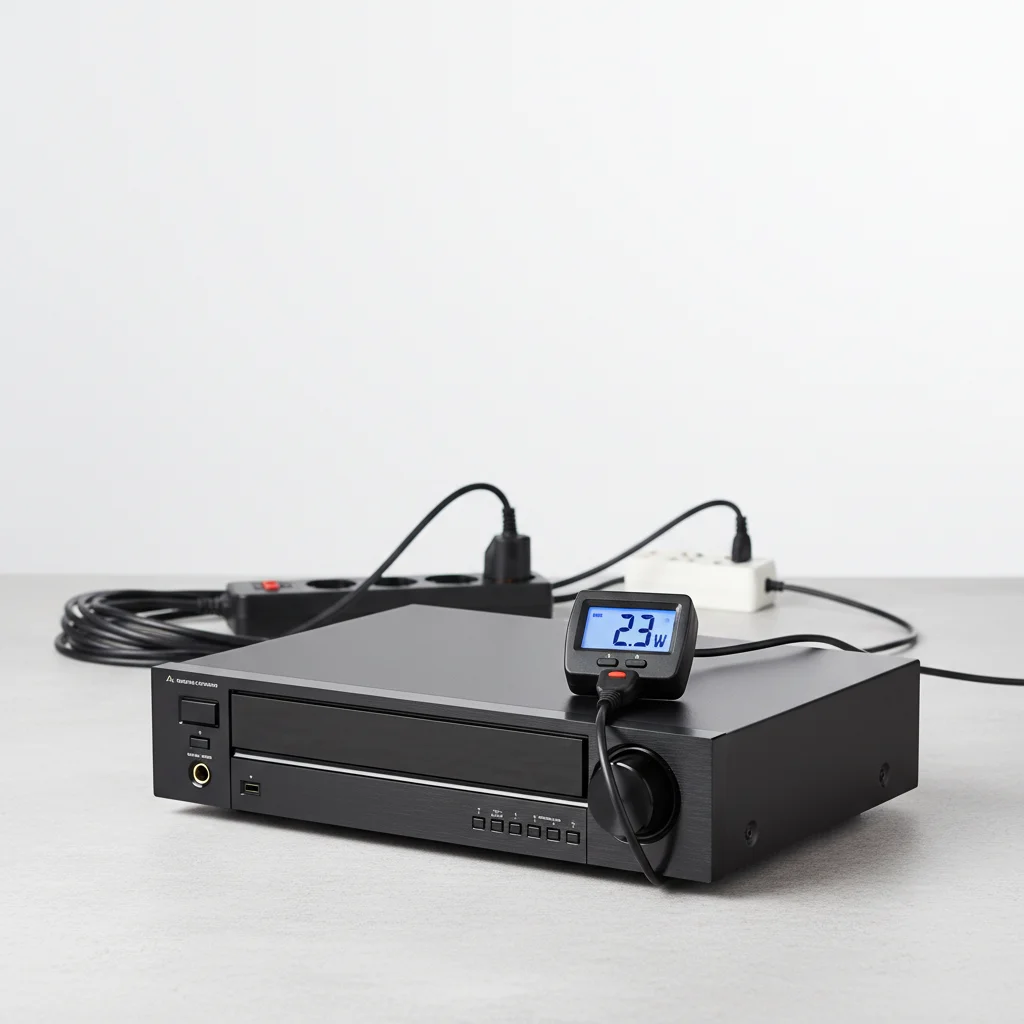
AV receivers, even when turned off, consume a small amount of electricity known as standby power. This consumption typically ranges from 0.1 watts to 20 watts, depending on the model, features, and whether quick-start modes are enabled. Understanding this can help you manage your energy usage and reduce your electricity bill.
What is Standby Power and Why Do AV Receivers Use It?
Standby power, sometimes called “vampire drain,” refers to the electricity consumed by electronic devices when they are switched off but still plugged into an outlet. AV receivers use standby power to maintain certain functionalities, such as remembering settings, responding to remote control signals, and keeping network connections active for features like quick-start or firmware updates. Modern receivers with advanced networking capabilities often consume more standby power than older, simpler models.
Factors Influencing AV Receiver Standby Power
Several factors can affect how much power your AV receiver draws in standby mode. Features like HDMI passthrough, network standby, and quick-start modes are significant contributors. For instance, if your receiver is configured to pass through HDMI signals to your TV even when off, it will consume more power. Similarly, network standby allows the receiver to be woken up by a network command, which requires continuous power to the network module. Disabling these features in your receiver’s settings can often reduce standby consumption.
- HDMI Passthrough: Allows video/audio to pass through when the receiver is off.
- Network Standby: Keeps the network module active for remote control or updates.
- Quick Start Mode: Reduces boot-up time by keeping certain circuits powered.
- USB Power Output: Some receivers provide continuous power to USB ports.
- Remote Control Sensor: Always active to detect remote signals.
Measuring Your AV Receiver’s Standby Power
|
Our Picks for the Best AV Receiver in 2026
As an Amazon Associate I earn from qualifying purchases.
|
||
| Num | Product | Action |
|---|---|---|
| 1 | Sony STRDH590 5.2 Channel Surround Sound Home Theater Receiver: 4K HDR AV Receiver with Bluetooth,Black |

|
| 2 | Denon AVR-X1700H 7.2 Channel AV Receiver - 80W/Channel, Advanced 8K HDMI Video w/eARC, Dolby Atmos, DTS:X, Built-in HEOS, Amazon Alexa Voice Control |
|
| 3 | Denon AVR-X1800H 7.2 Channel AV Stereo Receiver - 80W/Channel, Wireless Streaming via Built-in HEOS, WiFi, & Bluetooth, Supports Dolby Vision, HDR10+, Dynamic HDR, & Home Automation Systems |
|
| 4 | YAMAHA RX-V385 5.1-Channel 4K Ultra HD AV Receiver with Bluetooth |
|
| 5 | Denon AVR-S570BT AV Receiver 5.2 Channel 8K Ultra HD Audio & Video, Stereo Receivers, Denon AVR Wireless Streaming Bluetooth, (4) 8K HDMI Inputs, eARC, HD Setup Assistant |
|
| 6 | Sony STRDH590 5.2 Multi-Channel 4k HDR AV Receiver with Bluetooth (Renewed) Bundle with 3 YR CPS Enhanced Protection Pack |
|
| 7 | Sony STR-AN1000 7.2 CH Surround Sound Home Theater 8K A/V Receiver: Dolby Atmos, DTS:X, Digital Cinema Auto Calibration IX, Bluetooth, WiFi, Google Chromecast, Spotify connect, Apple AirPlay, HDMI 2.1 |
|
| 8 | Onkyo TX-RZ30 9.2-Channel AV Receiver - 100 Watts Per Channel, Dirac Live Out of Box, Works with Sonos Certified, THX Certified and More |
|
| 9 | Pyle 5.2 Channel Hi-Fi Home Theater Receiver - 1000W MAX Wireless BT Surround Sound Stereo Amplifier System with 4k Ultra HD Support, MP3/USB/DAC, Ideal for Immersive Home Audio Experience |
|
| 10 | Sony STRDH190 2-ch Home Stereo Receiver with Phono Inputs & Bluetooth Black |
|
To accurately determine your specific AV receiver’s standby power consumption, you can use a kill-a-watt meter or a similar energy monitoring device. Simply plug the meter into the wall outlet, and then plug your AV receiver into the meter. With the receiver turned off but still plugged in, the meter will display the current power draw in watts. This provides a precise measurement, allowing you to identify if your receiver is a significant contributor to your home’s phantom load.
For those interested in a new model with lower standby consumption, consider researching specifications before purchase. Many manufacturers now list standby power figures, often under 0.5 watts for basic standby, though this can increase with advanced features enabled.
Reducing AV Receiver Standby Power Consumption
There are several practical steps you can take to minimize your AV receiver’s standby power consumption. The simplest method is to unplug the receiver when it’s not in use, though this can be inconvenient. A more practical solution is to use a smart power strip or a power strip with a master/slave function. When the main device (e.g., your TV) is turned off, the power strip can cut power to connected peripherals like your AV receiver. Additionally, delve into your receiver’s settings menu to disable features like HDMI passthrough, network standby, and quick-start modes if you don’t regularly use them. These small adjustments can lead to noticeable energy savings over time.
Another effective strategy is to consolidate your home theater components onto a single power strip that can be easily switched off. This ensures that all devices, including your AV receiver, are completely disconnected from power when not in use. While the individual savings from one device might seem small, the cumulative effect of reducing standby power across all your electronics can be substantial.
