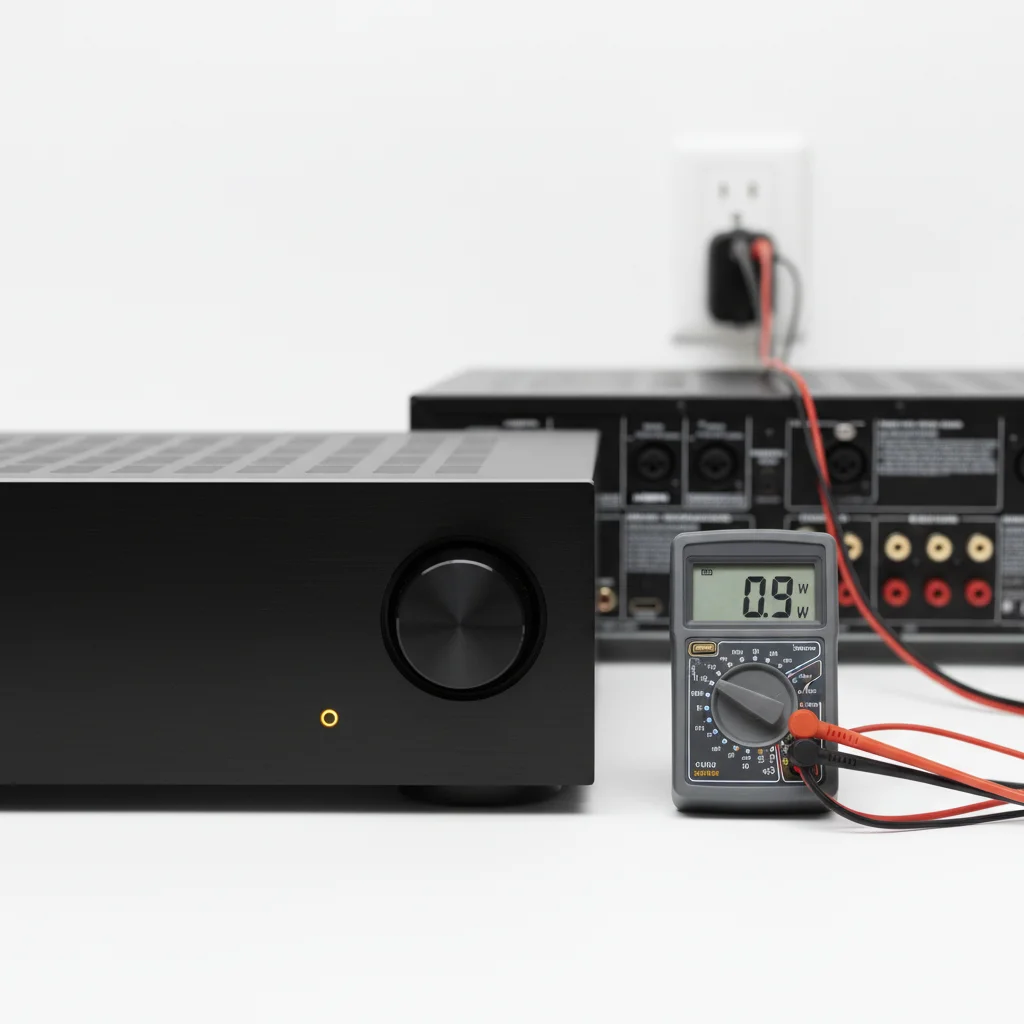
When your AV receiver is in standby mode, it typically consumes between 0.1 to 5 watts of power. This range varies significantly based on the receiver’s age, features, and specific standby settings. Modern receivers often adhere to stricter energy efficiency standards, leading to lower power consumption in standby compared to older models.
Understanding Standby Power Consumption
Standby mode isn’t a complete shutdown; it allows the receiver to quickly power on, maintain network connections, and respond to remote control signals. Features like HDMI passthrough, network standby, and quick start modes contribute to higher standby power draw. For instance, a receiver with HDMI passthrough enabled in standby will consume more power to keep the HDMI circuitry active, allowing video signals to pass through to your TV even when the receiver is ‘off’.
The European Union’s ErP Lot 6 directive, for example, mandates that electronic devices consume no more than 0.5 watts in standby mode for simple standby functions, and up to 3 watts for networked standby functions. Many manufacturers design their receivers to meet or exceed these standards.
Factors Influencing Standby Power Draw
Several factors can influence how much power your AV receiver uses in standby. Newer models often have more advanced power management features, allowing for lower consumption. The number of active features in standby, such as network connectivity (Wi-Fi, Ethernet), HDMI Control (CEC), and quick start options, directly impacts power usage. Disabling unnecessary features can reduce standby consumption.
For example, if your receiver has a ‘network standby’ option that allows it to be woken up by a smartphone app, it will continuously draw power to maintain that network connection. Similarly, if HDMI CEC is enabled, the receiver might draw more power to communicate with other connected devices.
Measuring Your Receiver’s Standby Usage
|
Our Picks for the Best AV Receiver in 2026
As an Amazon Associate I earn from qualifying purchases.
|
||
| Num | Product | Action |
|---|---|---|
| 1 | Sony STRDH590 5.2 Multi-Channel 4k HDR AV Receiver with Bluetooth (Renewed) Bundle with 3 YR CPS Enhanced Protection Pack |

|
| 2 | Sony STRDH190 2-ch Home Stereo Receiver with Phono Inputs & Bluetooth Black |
|
| 3 | Denon AVR-S570BT AV Receiver 5.2 Channel 8K Ultra HD Audio & Video, Stereo Receivers, Denon AVR Wireless Streaming Bluetooth, (4) 8K HDMI Inputs, eARC, HD Setup Assistant |
|
| 4 | Onkyo TX-RZ30 9.2-Channel AV Receiver - 100 Watts Per Channel, Dirac Live Out of Box, Works with Sonos Certified, THX Certified and More |
|
| 5 | Sony STRDH590 5.2 Channel Surround Sound Home Theater Receiver: 4K HDR AV Receiver with Bluetooth,Black |
|
| 6 | Denon AVR-X1700H 7.2 Channel AV Receiver - 80W/Channel, Advanced 8K HDMI Video w/eARC, Dolby Atmos, DTS:X, Built-in HEOS, Amazon Alexa Voice Control |
|
| 7 | Denon AVR-X1800H 7.2 Channel AV Stereo Receiver - 80W/Channel, Wireless Streaming via Built-in HEOS, WiFi, & Bluetooth, Supports Dolby Vision, HDR10+, Dynamic HDR, & Home Automation Systems |
|
| 8 | YAMAHA RX-V385 5.1-Channel 4K Ultra HD AV Receiver with Bluetooth |
|
| 9 | Sony STR-AN1000 7.2 CH Surround Sound Home Theater 8K A/V Receiver: Dolby Atmos, DTS:X, Digital Cinema Auto Calibration IX, Bluetooth, WiFi, Google Chromecast, Spotify connect, Apple AirPlay, HDMI 2.1 |
|
| 10 | Pyle 5.2 Channel Hi-Fi Home Theater Receiver - 1000W MAX Wireless BT Surround Sound Stereo Amplifier System with 4k Ultra HD Support, MP3/USB/DAC, Ideal for Immersive Home Audio Experience |
|
To accurately determine your specific AV receiver’s standby power consumption, you can use a watt meter (also known as a kill-a-watt meter). These devices plug into your wall outlet, and your receiver plugs into the meter, allowing you to read the exact power draw in real-time. This can be particularly useful for older receivers or if you’re concerned about energy efficiency.
Simply plug the watt meter into the wall, then plug your AV receiver into the watt meter. Put your receiver into standby mode and observe the reading. This will give you a precise measurement of its power consumption in that state.
Reducing Standby Power Consumption
If you’re looking to minimize your AV receiver’s standby power usage, there are several steps you can take. Disabling features like network standby, HDMI passthrough, and quick start modes when not needed can significantly reduce consumption. Many receivers have specific settings menus where these options can be toggled.
- Disable Network Standby: If you don’t use app control to power on your receiver, turn off network standby.
- Turn Off HDMI Passthrough: If you don’t need video signals to pass through the receiver when it’s off, disable this feature.
- Deactivate Quick Start: While convenient, quick start modes keep more components active. Disable it for lower standby power.
- Use a Smart Power Strip: For older receivers, a smart power strip can completely cut power to the receiver when your TV is off.
- Unplug When Not in Use: For extended periods of absence, unplugging the receiver is the most effective way to eliminate all standby power.
Long-Term Energy Savings
While the individual power consumption of an AV receiver in standby might seem small, it can add up over time, contributing to your overall electricity bill. Over a year, even a few watts can translate into measurable energy usage. For example, a receiver consuming 5 watts in standby for 24 hours a day, 365 days a year, uses approximately 43.8 kWh annually. At an average electricity cost of $0.15 per kWh, this amounts to about $6.57 per year. While not a huge sum, it’s an avoidable cost.
Considering the environmental impact, reducing standby power across all household electronics contributes to lower overall energy demand. Modern AV receivers are increasingly designed with energy efficiency in mind, often featuring dedicated low-power standby modes that consume less than 0.5 watts. Always check your receiver’s manual for specific power consumption figures and available power-saving settings.
