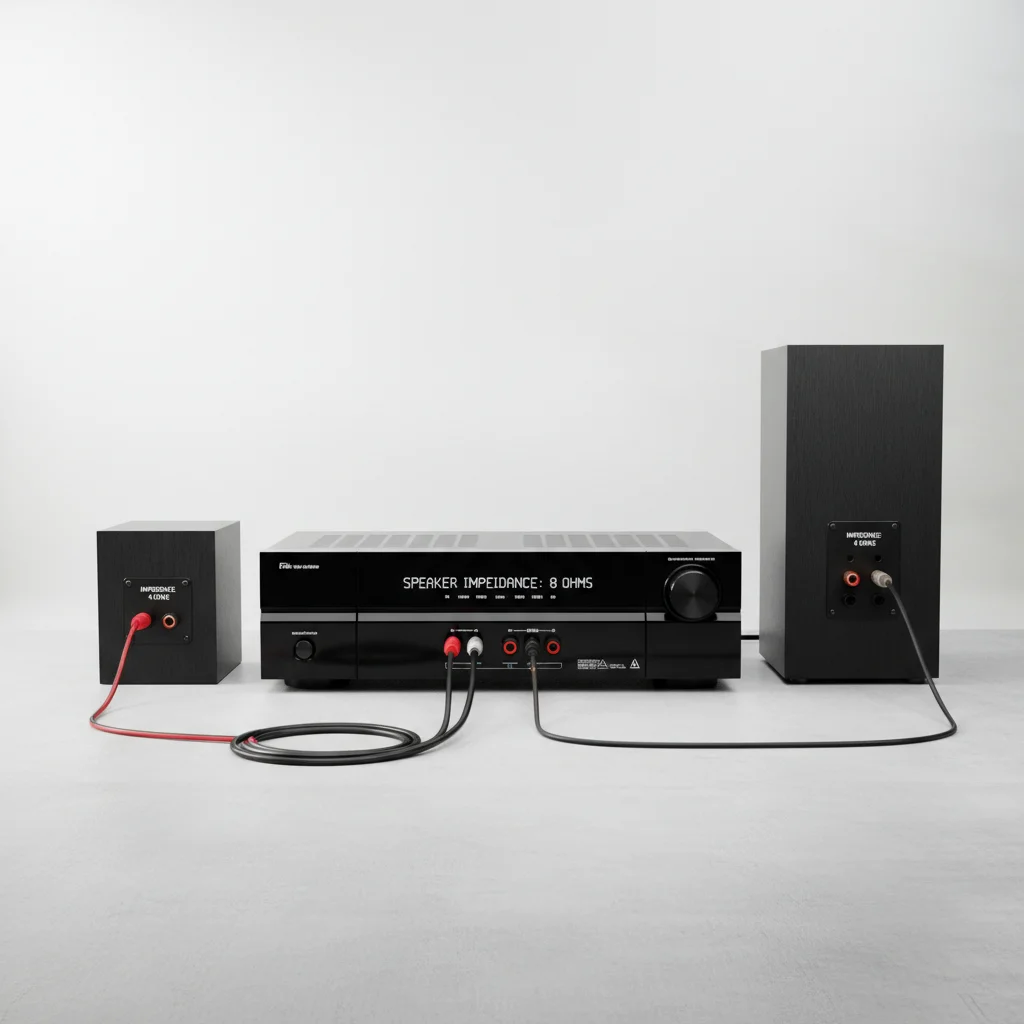
When setting up your home theater, understanding AV receiver speaker impedance is crucial. Mismatched impedance can lead to several issues, including reduced sound quality, overheating, and potential damage to your receiver or speakers. Specifically, connecting speakers with a lower impedance than your receiver is rated for can cause the receiver to draw too much current, leading to excessive heat and premature failure. Conversely, speakers with a much higher impedance might result in lower volume and less dynamic sound.
Understanding Speaker Impedance Ratings
Speaker impedance, measured in ohms (Ω), represents the electrical resistance a speaker presents to an amplifier or AV receiver. Most home theater speakers are rated at 4, 6, or 8 ohms. Your AV receiver will also have a specified impedance range it can safely handle, often indicated on the back panel or in the owner’s manual. It’s essential to ensure your speakers fall within this recommended range to maintain optimal performance and prevent damage.
For example, if your receiver is rated for 6-16 ohms, connecting 4-ohm speakers will put a greater strain on the amplifier section. This is because lower impedance means less resistance, causing the receiver to work harder to deliver the required power. Always check both your speaker and receiver specifications before making connections.
Risks of Mismatched Impedance
The primary risk of connecting speakers with too low an impedance to your AV receiver is overheating. When the receiver tries to drive a low-impedance load, it draws more current than it’s designed for, generating excess heat. This can trigger the receiver’s protection circuits, causing it to shut down, or in severe cases, lead to permanent damage to the internal components. You might notice a burning smell or the receiver becoming unusually hot to the touch.
Another consequence is distorted sound. When a receiver is overstressed, it can introduce clipping, where the audio waveform is flattened, resulting in harsh, unpleasant sound. While less common, connecting speakers with a significantly higher impedance than recommended can lead to underpowering, resulting in a weak, thin sound with reduced bass response and overall dynamics.
How to Check and Match Impedance
|
Our Picks for the Best AV Receiver in 2026
As an Amazon Associate I earn from qualifying purchases.
|
||
| Num | Product | Action |
|---|---|---|
| 1 | Denon AVR-S570BT AV Receiver 5.2 Channel 8K Ultra HD Audio & Video, Stereo Receivers, Denon AVR Wireless Streaming Bluetooth, (4) 8K HDMI Inputs, eARC, HD Setup Assistant |

|
| 2 | YAMAHA RX-V385 5.1-Channel 4K Ultra HD AV Receiver with Bluetooth |
|
| 3 | Sony STR-AN1000 7.2 CH Surround Sound Home Theater 8K A/V Receiver: Dolby Atmos, DTS:X, Digital Cinema Auto Calibration IX, Bluetooth, WiFi, Google Chromecast, Spotify connect, Apple AirPlay, HDMI 2.1 |
|
| 4 | Pyle 5.2 Channel Hi-Fi Home Theater Receiver - 1000W MAX Wireless BT Surround Sound Stereo Amplifier System with 4k Ultra HD Support, MP3/USB/DAC, Ideal for Immersive Home Audio Experience |
|
| 5 | Onkyo TX-RZ30 9.2-Channel AV Receiver - 100 Watts Per Channel, Dirac Live Out of Box, Works with Sonos Certified, THX Certified and More |
|
| 6 | Denon AVR-X1800H 7.2 Channel AV Stereo Receiver - 80W/Channel, Wireless Streaming via Built-in HEOS, WiFi, & Bluetooth, Supports Dolby Vision, HDR10+, Dynamic HDR, & Home Automation Systems |
|
| 7 | Denon AVR-X1700H 7.2 Channel AV Receiver - 80W/Channel, Advanced 8K HDMI Video w/eARC, Dolby Atmos, DTS:X, Built-in HEOS, Amazon Alexa Voice Control |
|
| 8 | Sony STRDH590 5.2 Multi-Channel 4k HDR AV Receiver with Bluetooth (Renewed) Bundle with 3 YR CPS Enhanced Protection Pack |
|
| 9 | Sony STRDH590 5.2 Channel Surround Sound Home Theater Receiver: 4K HDR AV Receiver with Bluetooth,Black |
|
| 10 | Sony STRDH190 2-ch Home Stereo Receiver with Phono Inputs & Bluetooth Black |
|
To properly match your AV receiver and speakers, first locate the impedance rating on both devices. Speaker impedance is usually printed on the back of the speaker or in its manual. For your AV receiver, check the rear panel near the speaker terminals or consult the user manual. Most modern AV receivers are designed to be flexible, often supporting a range like 6-16 ohms. If your speakers fall within this range, you’re generally safe.
If you have speakers with a lower impedance (e.g., 4 ohms) and your receiver only specifies 6-16 ohms, some receivers have a switch or setting to adjust for lower impedance loads. However, this often reduces the maximum power output and can still stress the receiver. When in doubt, it’s always safer to match or exceed the receiver’s minimum impedance rating. If you’re unsure, consulting a professional or the manufacturer’s support is advisable.
Tips for Safe Speaker Connection
- Always power off and unplug your AV receiver before connecting or disconnecting any speakers.
- Use high-quality speaker wire with appropriate gauge for the length of the run.
- Ensure correct polarity (+ to + and – to -) for all speaker connections.
- Double-check all connections to prevent short circuits, which can also damage your receiver.
- If your receiver has an impedance selector switch, set it correctly according to your speakers.
Properly matching AV receiver speaker impedance is a fundamental step in achieving optimal sound quality and ensuring the longevity of your home theater components. Taking a few moments to verify these specifications can save you from potential headaches and costly repairs down the line.
