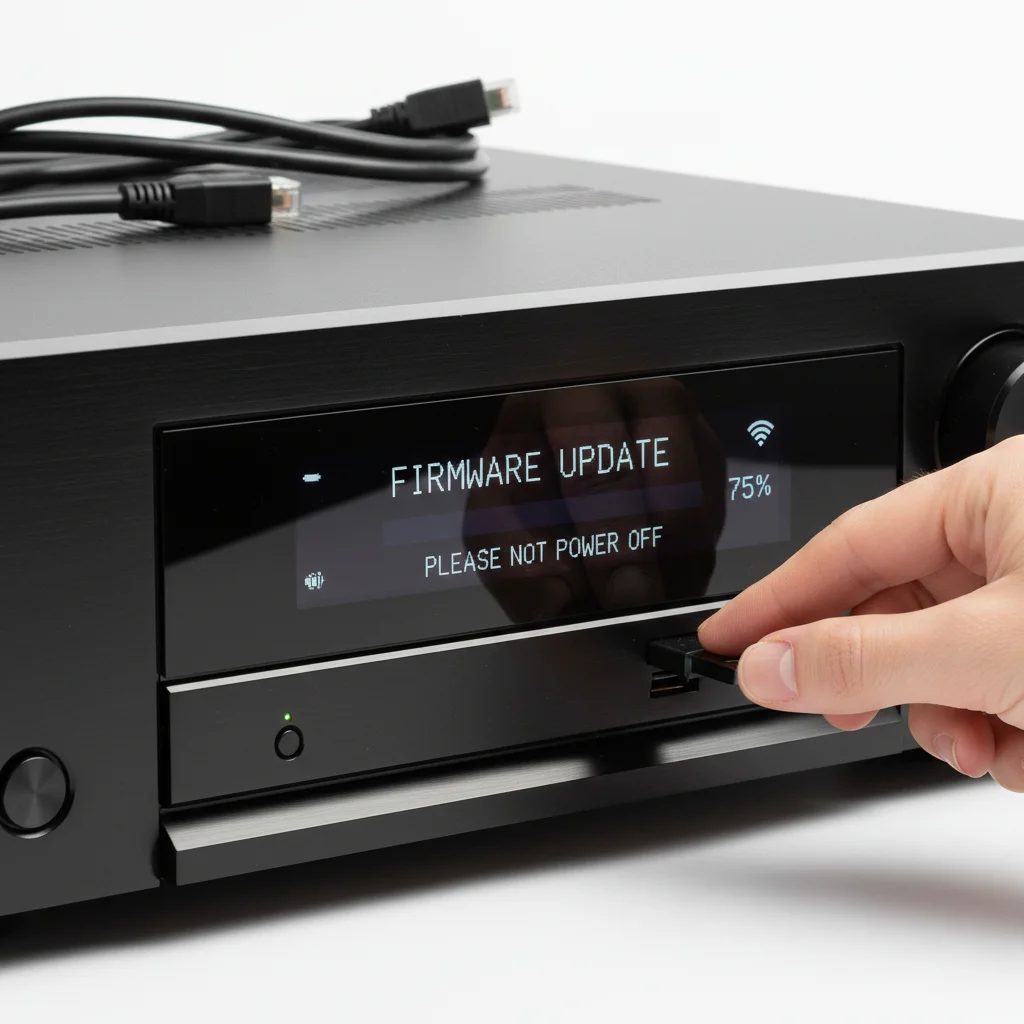
An AV receiver firmware update can significantly improve performance, add new features, and fix bugs, making it a worthwhile effort for most users. While not always mandatory, keeping your receiver’s software current ensures compatibility with the latest audio and video standards, enhances security, and optimizes overall functionality. Typically, these updates can resolve issues like connectivity problems, audio dropouts, or even improve sound processing algorithms.
Why AV Receiver Firmware Updates Matter
Firmware is the embedded software that controls your AV receiver’s hardware. Manufacturers regularly release updates to address vulnerabilities, introduce support for new technologies (like HDMI 2.1 features or new audio codecs), and refine existing functionalities. Ignoring these updates can lead to your receiver becoming outdated, potentially causing compatibility issues with newer devices or preventing access to the latest streaming services and features. For instance, an update might enable eARC support on an older model, greatly simplifying your home theater setup.
How to Check for and Install Updates
Most modern AV receivers offer multiple methods for firmware updates. The most common is via a network connection, where the receiver connects directly to the internet to download and install the update. You can usually initiate this process through the receiver’s on-screen display menu under a section like “System” or “Firmware.” Alternatively, some receivers require you to download the firmware file to a USB drive from the manufacturer’s website and then insert the drive into the receiver. Always consult your receiver’s manual for the precise steps, as the process can vary between brands and models. Ensure a stable power supply during the update to prevent bricking the device.
- Connect your AV receiver to a stable internet connection.
- Navigate to the system or setup menu on your receiver’s OSD.
- Select the “Firmware Update” or “Software Update” option.
- Follow the on-screen prompts to download and install the update.
- Do NOT power off the receiver during the update process.
Common Benefits of Updating Firmware
|
Our Picks for the Best AV Receiver in 2026
As an Amazon Associate I earn from qualifying purchases.
|
||
| Num | Product | Action |
|---|---|---|
| 1 | Sony STRDH590 5.2 Multi-Channel 4k HDR AV Receiver with Bluetooth (Renewed) Bundle with 3 YR CPS Enhanced Protection Pack |

|
| 2 | Denon AVR-X1700H 7.2 Channel AV Receiver - 80W/Channel, Advanced 8K HDMI Video w/eARC, Dolby Atmos, DTS:X, Built-in HEOS, Amazon Alexa Voice Control |
|
| 3 | Sony STRDH190 2-ch Home Stereo Receiver with Phono Inputs & Bluetooth Black |
|
| 4 | Sony STRDH590 5.2 Channel Surround Sound Home Theater Receiver: 4K HDR AV Receiver with Bluetooth,Black |
|
| 5 | YAMAHA RX-V385 5.1-Channel 4K Ultra HD AV Receiver with Bluetooth |
|
| 6 | Denon AVR-S570BT AV Receiver 5.2 Channel 8K Ultra HD Audio & Video, Stereo Receivers, Denon AVR Wireless Streaming Bluetooth, (4) 8K HDMI Inputs, eARC, HD Setup Assistant |
|
| 7 | Pyle 5.2 Channel Hi-Fi Home Theater Receiver - 1000W MAX Wireless BT Surround Sound Stereo Amplifier System with 4k Ultra HD Support, MP3/USB/DAC, Ideal for Immersive Home Audio Experience |
|
| 8 | Sony STR-AN1000 7.2 CH Surround Sound Home Theater 8K A/V Receiver: Dolby Atmos, DTS:X, Digital Cinema Auto Calibration IX, Bluetooth, WiFi, Google Chromecast, Spotify connect, Apple AirPlay, HDMI 2.1 |
|
| 9 | Denon AVR-X1800H 7.2 Channel AV Stereo Receiver - 80W/Channel, Wireless Streaming via Built-in HEOS, WiFi, & Bluetooth, Supports Dolby Vision, HDR10+, Dynamic HDR, & Home Automation Systems |
|
| 10 | Onkyo TX-RZ30 9.2-Channel AV Receiver - 100 Watts Per Channel, Dirac Live Out of Box, Works with Sonos Certified, THX Certified and More |
|
Updating your AV receiver’s firmware can bring a host of benefits. One significant advantage is improved compatibility with new devices, such as the latest gaming consoles or 8K TVs. Updates can also enhance sound quality by refining digital signal processing (DSP) algorithms or adding support for new high-resolution audio formats. Furthermore, bug fixes often resolve frustrating issues like intermittent audio dropouts, video flickering, or remote control unresponsiveness. Some updates even introduce new user interface elements or streaming service integrations, making your receiver more versatile.
Potential Risks and Best Practices
While beneficial, firmware updates are not without minor risks. The most significant risk is a power interruption during the update, which can corrupt the firmware and render your receiver inoperable. To mitigate this, always perform updates during stable power conditions and avoid unplugging the unit. It’s also wise to read user forums or the manufacturer’s release notes before updating, especially for major revisions, to be aware of any reported issues. If an update introduces new problems, some receivers allow you to revert to a previous firmware version, though this is not always an option. Always back up any custom settings if your receiver supports it, as some updates may reset configurations.
When to Consider Skipping an Update
There are rare instances where skipping an update might be acceptable. If your AV receiver is functioning perfectly, meets all your current needs, and the update notes only mention features you won’t use or fixes for issues you haven’t encountered, you might choose to defer. However, it’s generally recommended to stay current, especially for security patches or critical bug fixes. If you have an older, discontinued model, the manufacturer might no longer provide updates, in which case you’re already on the final firmware version. For most users, the benefits of an updated receiver far outweigh the minimal risks involved in the update process.
