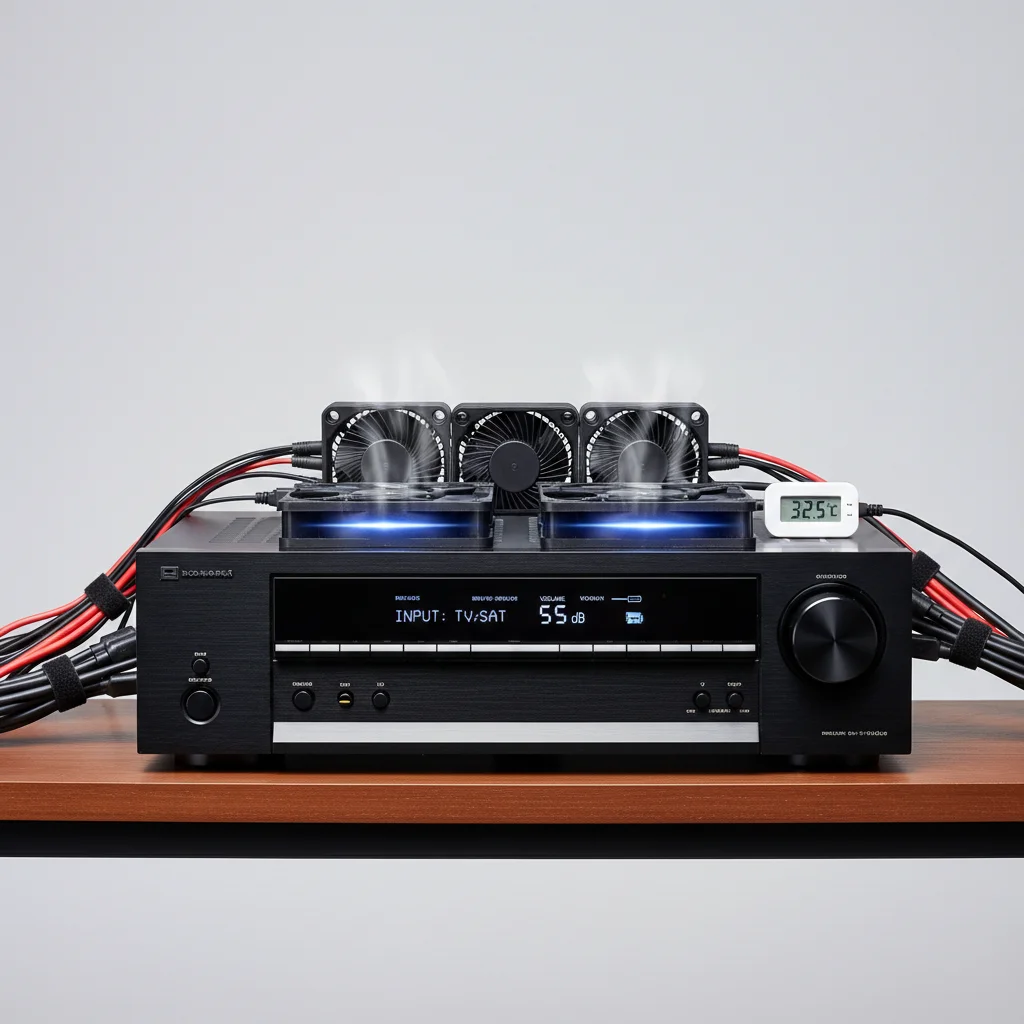
Effective AV receiver cooling typically requires one to two dedicated fans, depending on the receiver’s heat output, enclosure size, and ambient room temperature. Overheating is a common issue that can degrade performance and shorten the lifespan of your valuable audio-video equipment. Understanding the thermal dynamics of your setup is crucial for maintaining optimal operating conditions and preventing premature component failure.
Why AV Receiver Cooling is Essential
AV receivers generate a significant amount of heat, especially when driving multiple speakers at high volumes or processing complex video signals. This heat, if not properly dissipated, can lead to thermal throttling, where the receiver reduces its performance to prevent damage. Prolonged exposure to high temperatures can also cause capacitors to dry out, solder joints to crack, and integrated circuits to fail, resulting in costly repairs or replacement. Proper cooling ensures stable operation and extends the longevity of your investment. For complete diy home library on this site.
Factors Influencing Cooling Needs
Several factors dictate how much cooling your AV receiver requires. The power output of your receiver is a primary consideration; higher wattage models naturally produce more heat. The ventilation design of your entertainment cabinet or rack also plays a critical role. Enclosed spaces with poor airflow will trap heat, necessitating more aggressive cooling solutions. Ambient room temperature and the duration of use also contribute to the overall thermal load. For instance, a receiver used for several hours daily in a warm room will need more robust cooling than one used occasionally in a cooler environment.
Types of AV Receiver Cooling Solutions
|
Our Picks for the Best AV Receiver in 2026
As an Amazon Associate I earn from qualifying purchases.
|
||
| Num | Product | Action |
|---|---|---|
| 1 | Sony STRDH590 5.2 Channel Surround Sound Home Theater Receiver: 4K HDR AV Receiver with Bluetooth,Black |

|
| 2 | Sony STRDH590 5.2 Multi-Channel 4k HDR AV Receiver with Bluetooth (Renewed) Bundle with 3 YR CPS Enhanced Protection Pack |
|
| 3 | Pyle 5.2 Channel Hi-Fi Home Theater Receiver - 1000W MAX Wireless BT Surround Sound Stereo Amplifier System with 4k Ultra HD Support, MP3/USB/DAC, Ideal for Immersive Home Audio Experience |
|
| 4 | Sony STR-AN1000 7.2 CH Surround Sound Home Theater 8K A/V Receiver: Dolby Atmos, DTS:X, Digital Cinema Auto Calibration IX, Bluetooth, WiFi, Google Chromecast, Spotify connect, Apple AirPlay, HDMI 2.1 |
|
| 5 | YAMAHA RX-V385 5.1-Channel 4K Ultra HD AV Receiver with Bluetooth |
|
| 6 | Denon AVR-X1700H 7.2 Channel AV Receiver - 80W/Channel, Advanced 8K HDMI Video w/eARC, Dolby Atmos, DTS:X, Built-in HEOS, Amazon Alexa Voice Control |
|
| 7 | Sony STRDH190 2-ch Home Stereo Receiver with Phono Inputs & Bluetooth Black |
|
| 8 | Onkyo TX-RZ30 9.2-Channel AV Receiver - 100 Watts Per Channel, Dirac Live Out of Box, Works with Sonos Certified, THX Certified and More |
|
| 9 | Denon AVR-S570BT AV Receiver 5.2 Channel 8K Ultra HD Audio & Video, Stereo Receivers, Denon AVR Wireless Streaming Bluetooth, (4) 8K HDMI Inputs, eARC, HD Setup Assistant |
|
| 10 | Denon AVR-X1800H 7.2 Channel AV Stereo Receiver - 80W/Channel, Wireless Streaming via Built-in HEOS, WiFi, & Bluetooth, Supports Dolby Vision, HDR10+, Dynamic HDR, & Home Automation Systems |
|
There are several effective methods for cooling an AV receiver. Passive cooling relies on natural convection, often enhanced by strategically placed vents. Active cooling, however, uses fans to force air movement. Top-mounted fans are popular for drawing hot air upwards and out of the enclosure, while rear-mounted fans can push cool air in or pull hot air out. Some advanced cooling systems integrate temperature sensors to automatically adjust fan speed, providing cooling only when needed.These smart cooling units are highly efficient and quiet.
- Ensure at least 4-6 inches of clearance above and behind the receiver.
- Avoid stacking other heat-generating components directly on top of the receiver.
- Clean dust from vents and fan blades regularly to maintain airflow.
- Consider a dedicated cooling fan system for enclosed cabinets.
- Monitor receiver temperature during extended use, especially in warm environments.
Installing and Optimizing Cooling Fans
When installing cooling fans, consider the direction of airflow. Generally, it’s best to create a clear path for air to enter from a cooler area and exit from a warmer area. For a cabinet, this often means intake fans at the bottom front and exhaust fans at the top rear. Ensure fans are quiet enough not to interfere with your listening experience. Many modern cooling fans are designed for low noise operation. Proper cable management within the cabinet can also improve airflow by preventing obstructions.Investing in a quality cooling solution is a small price to pay for protecting your valuable home theater equipment.
Monitoring and Maintenance
Regular monitoring of your AV receiver’s temperature is a good practice. Some receivers have built-in temperature sensors that can be accessed through their menus. If your receiver feels excessively hot to the touch, it’s a clear sign that your cooling solution might be inadequate. Periodically clean the vents and fan blades to prevent dust buildup, which can significantly impede airflow and reduce cooling efficiency. A can of compressed air is excellent for this task. By proactively managing your receiver’s thermal environment, you can ensure its long-term reliability and performance.
